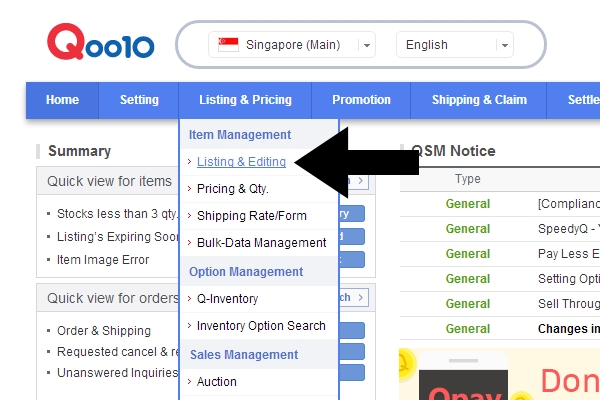
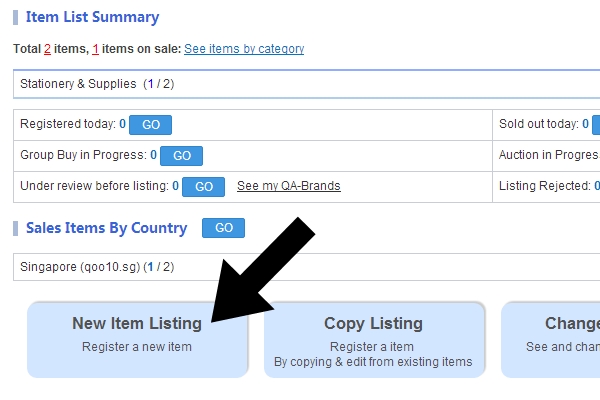
Just follow and click on the black arrows.
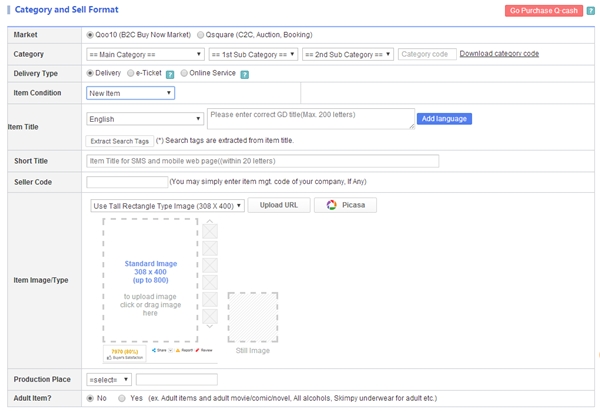
And you will be directed to this page ↓ where you key in all the important information like the price and product descriptions.
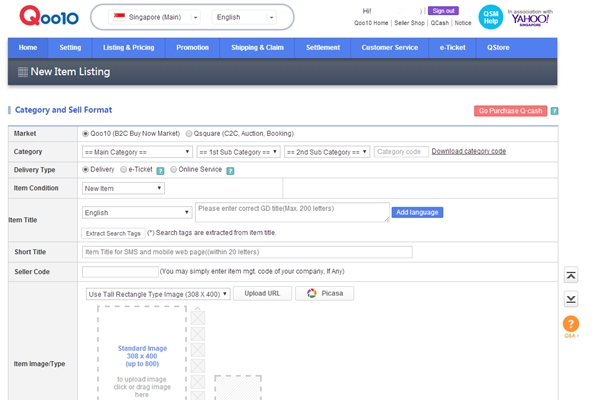
Let's break down into several portion to explain in details.
Category is really tricky. They breakdown into many many detailed parts. Just select those that you feel are suitable.
Market & Delivery Type really depends on the items or services you are selling.
Item Condition is either New or Used.
Item Title & Short Title is the name of the items or services you are selling.
Seller Code if any.
Item Image/Type upload the images of your product.
Production Place have three option "Domestic", "Overseas" and "Others".
Adult Item? Yes/No?
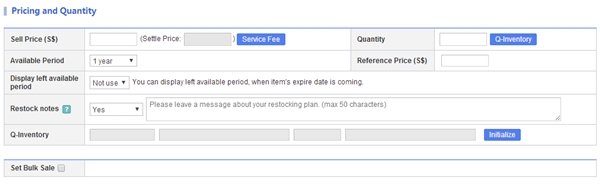
Sell Price this will determine your option price (-50% to 100% of Sell Price). My advise to you all is determine your option price carefully. And do remember that Qoo10 will also deduct the service charge from your total sales.
Quantity you know. what to key in
Available Period Maximum is 1 year. You can extend your listing thru the app under Price & Qty or web Listing & Pricing > Pricing & Qty.
The rest I honestly don't know. =X
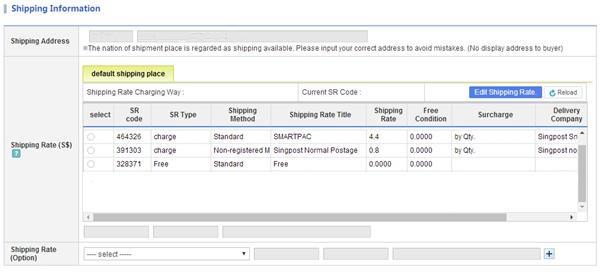
The most important part in this portion is Shipping Rate.
Shipping Rate There is a few different shipping available in the market. Courier, Singpost, Qxpress, and many more. Among all the delivery services, Singpost normal postage is the cheapest but risky as there is no tracking services available for this option.
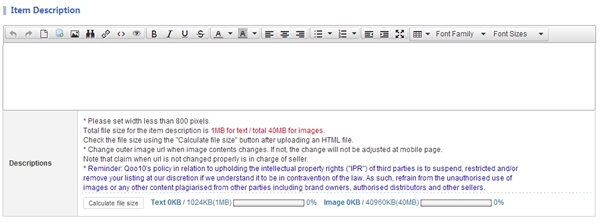
Item Description You can customize it easily using the setting available, but do remember to save. As if you exit this page, all the setting will be GONE!
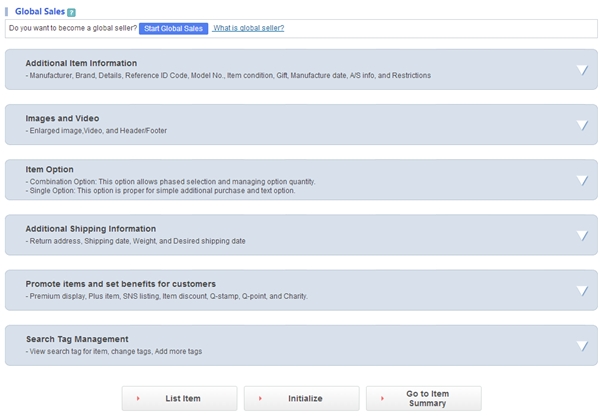
I have not tried most of the thing in this option except for Search Tag Management. It is like the labels in blogpost, just key in the keywords so that buyer can search for them easier.
Then, click on List Item and wait for Qoo10 to approve your listing.
Oh ya.. If you want your item to be advertise, you have to pay money for that. If not, just pray that buyer have awesome searching skill and Qoo10 have fantastic search function.
Step 3: WAIT FOR ORDERS
Yeah! Orders is in!
How you know you have orders? You will receive an email or notification if you downloaded their QSM and Qtalk app. If you click on the GO ↑ on the webpage, you will be directed to this page ↓.
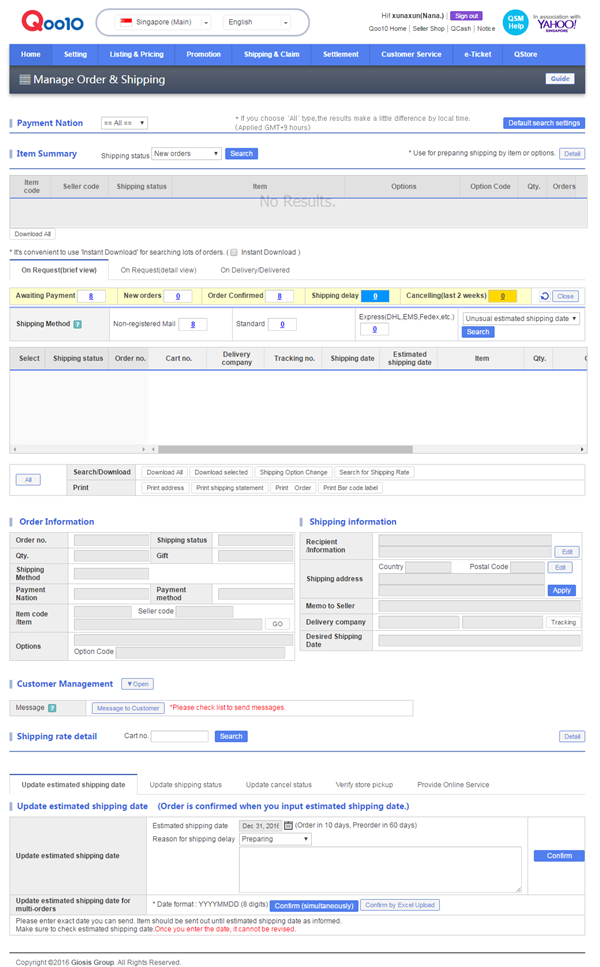
Again, here are some breakdown explanation for portion I feel important.
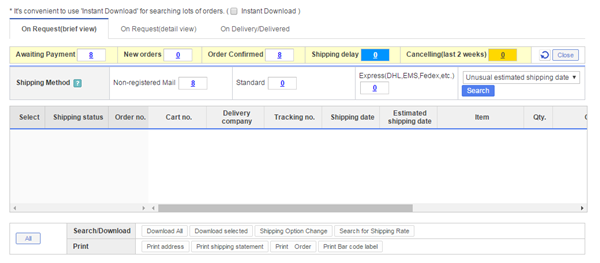
Just click on On Request(brief view) is detailed enough for you to pack your orders.
Awaiting Payment you don't have to do anything yet.
New Orders is the order you have to packed and mailed out.
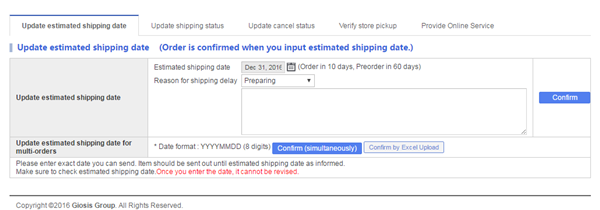
If you update estimated shipping date in the portion ↑, your New Orders will be moved to Order Confirmed.
If you have mailed out the orders, just update shipping status. Personally, updating registered postage is really really annoying. I don't know why even after I key in the tracking no. one by one, they still failed to update all together.
 opps...
Step 4: KA-CHING $$$
To see your total sales, you can follow and click the the arrows as shown in below.
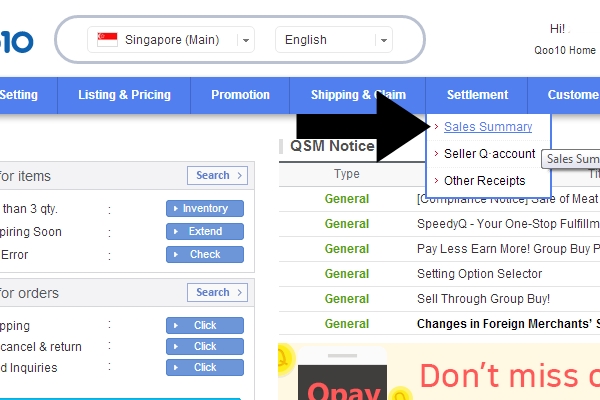
And you will see this ↓.
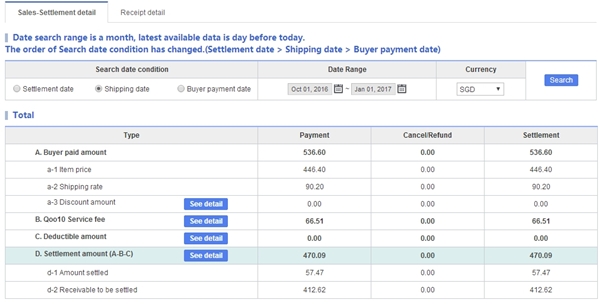
Normally I will choose Shipping date option to see how much is my total sales.
How did Qoo10 determine their service fee? It all depends on your service grade. There are three grading, "Standard", "Good" and "Power". Have attached the service fee rate ↓ as of 02/01/2017.
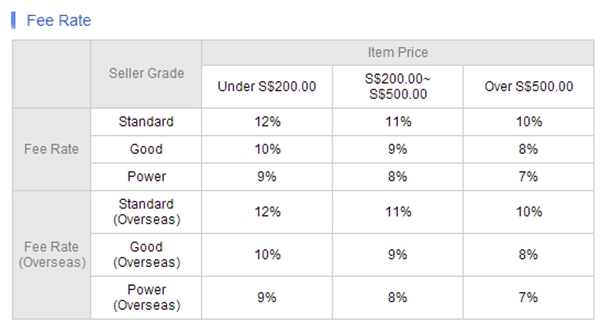
Note to all seller: Do take note of how much you need to markup your item so that you don't lugi lose out.
All the money earned will be converted into Q-cash. You can either withdraw (need to wait 3-5 working days to be deposited into your account) or just use them when you are shopping on Qoo10.
ANY OTHER MATTERS?
I will continue this portion next time.
Finally I have an inquiry, so that I can explain to you all how to answer them.
Answering Inquiries
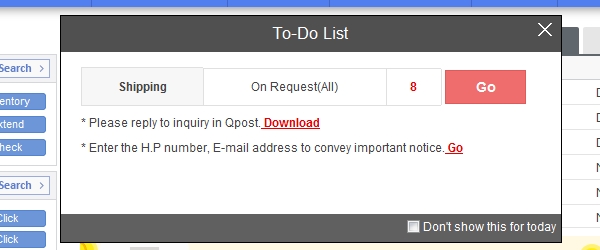
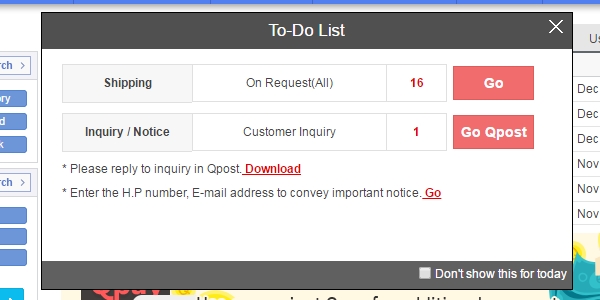
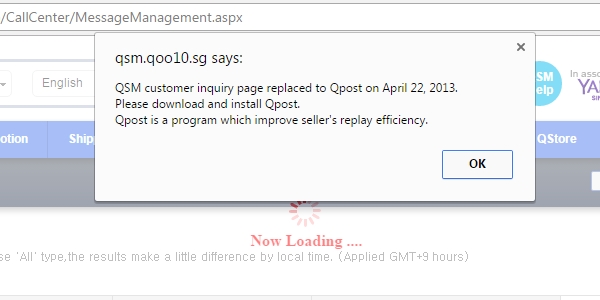
You will receive this pop-up when you log into
QSM.
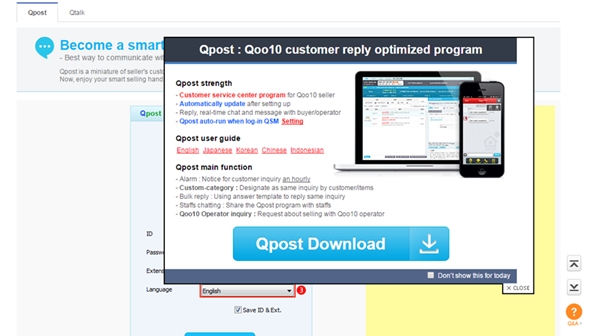
You can't answer the inquiries online, you have to download the Qpost for desktop or mobile.
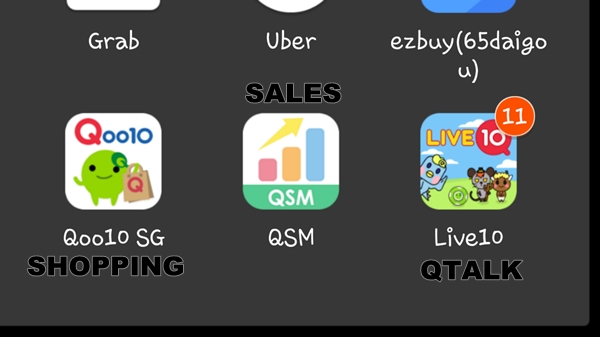
Okay. Before you ask me, I also don't understand why there is for their mobile app to separate the QSM & Qpost. I sincerely hope in the near future, they will combine this two app together.
So what is the
advantage of using Qoo10 even though they charge a certain amount of service fee whereas there are other selling app that are free.
Personally, I feel that the buyers are more financially stable?. You don't have to worry about customers MIA
missing-in-action or back-out last minute as they are required to make payment first. But you do have to worry about a small amount of customers who give you negative feedback as they expect Singpost to deliver their item in less than 12hours.
I don't own Singpost!






 But seriously, this is best Samsung phone I have used so far and of course, minus the part that it will explode.

